Reporting a Tennessee Deer Harvest Online
After the adrenaline rush of a successful hunt, the last thing anyone wants to deal with is paperwork, especially when you're tired, cold, and just want to get your deer processed. But reporting your deer harvest in Tennessee isn't just a suggestion; it's a crucial legal requirement that plays a massive role in wildlife management. This guide will walk you through the ins and outs of submitting your deer harvest online, ensuring you stay compliant and contribute to the health of Tennessee's deer herd.
Why Reporting Your Harvest Matters
It's easy to view harvest reporting as just another bureaucratic hurdle, a chore to be completed after the real work of hunting is done. However, for wildlife biologists and game managers at the Tennessee Wildlife Resources Agency (TWRA), every single reported harvest is a piece of a much larger puzzle. Without this information, they'd be flying blind, unable to make informed decisions that impact hunting seasons, bag limits, and the overall health of the deer population.
The Importance of Accurate Data for Wildlife Management
Think of all the factors that influence a deer herd: habitat, weather, disease, hunting pressure, and more. The TWRA uses harvest data to track population trends, understand herd density in different regions, and evaluate the effectiveness of various management strategies. For example, if harvest numbers in a particular Deer Management Unit (DMU) are consistently high, it might indicate a healthy, growing population that can sustain a generous bag limit. Conversely, declining numbers might signal a need for more conservative regulations to allow the herd to rebound.
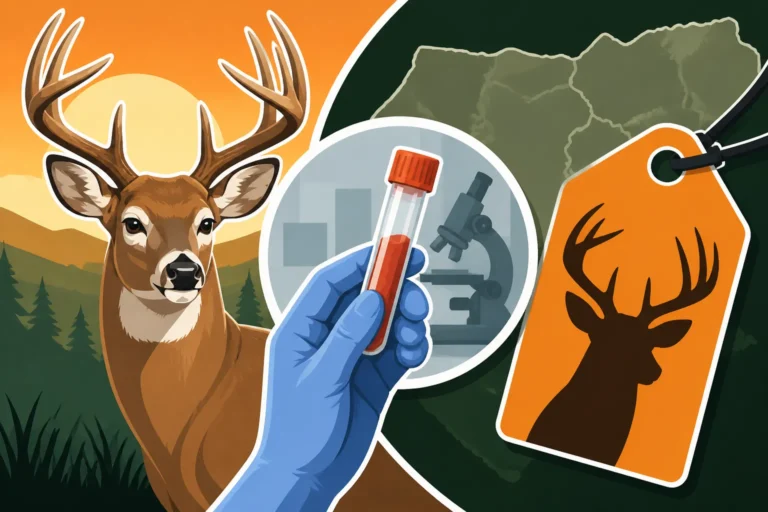
This data is also vital for understanding the spread and impact of diseases like Chronic Wasting Disease (CWD). By knowing where and when deer are harvested, and which ones are submitted for testing, the TWRA can map CWD prevalence and implement targeted management actions to slow its spread. It helps them protect our deer for future generations, which is something every hunter can get behind, even if it adds a few minutes to their post-hunt routine.
Legal Repercussions of Failing to Report
Beyond the ecological importance, failing to report your deer harvest within the specified timeframe is a violation of Tennessee hunting regulations. The state takes this seriously because it undermines their ability to manage the resource effectively. While it might seem like a minor oversight, the consequences can be more significant than you'd expect.
Depending on the specific circumstances and the discretion of wildlife officers, you could face fines, penalties, and even the loss of your hunting privileges. Imagine dedicating months to scouting, buying all your gear, and spending countless hours in the woods, only to lose your ability to hunt because of an unreported deer. It’s simply not worth the risk. Make it a habit to report your deer as soon as possible after the kill, ideally before midnight on the day of harvest, to avoid any headaches. The TWRA also outlines specific requirements in their Tennessee Deer Harvest Reporting Rules.
Navigating the Online Reporting System
Thankfully, the process of reporting your deer online has become quite streamlined over the years. The TWRA utilizes the "Go Outdoors Tennessee" platform, which is designed to be user-friendly and accessible from various devices. Getting familiar with this system beforehand will save you precious time and frustration when you're standing over a fresh kill.
The Go Outdoors Tennessee Platform
The official portal for reporting your harvest is the Go Outdoors Tennessee website or its corresponding mobile app. This platform is your one-stop shop for purchasing licenses, checking regulations, and yes, reporting your game. It's designed to be intuitive, allowing hunters to quickly log their harvest data from almost anywhere, even if cell service is spotty (though it’s always best to report with a stable connection).
To get started, you'll need an account. If you've ever bought a hunting or fishing license in Tennessee online, you likely already have one. If not, creating an account is a simple process that requires some basic personal information. The TWRA’s system is much more direct than some complex multi-state platforms like what you might find using a powerful scouting app like GoHunt, which focuses on mapping and strategy. While GoHunt excels at helping you find that deer, the Go Outdoors Tennessee platform is exclusively where you report it once it's on the ground. You can access the system directly from the TWRA website or by searching for "Go Outdoors Tennessee" in your app store.
Essential Information You'll Need Before Reporting
Before you even log into the system, make sure you have all the necessary information handy. This will make the reporting process much smoother and faster. Fumbling for details while trying to remember specifics about the hunt can lead to errors.
Here's a checklist of what you'll typically need:
- Harvest ID (Confirmation Number): This unique number is found on your physical Big Game Permit or your digital license/permit. This confirms you have a valid tag for the animal.
- Date and Time of Harvest: The exact date and approximate time you killed the deer.
- County of Harvest: The county where the deer was taken. Be precise here; if you're hunting near a county line, double-check your location.
- Deer Management Unit (DMU): The specific DMU your county falls within. You can typically find this information in the TWRA hunting guide or on their website. The state has Tennessee's Six Deer Management Units that dictate antlerless limits and other rules.
- Sex of the Deer: Buck or doe.
- Antler Points (if a buck): Count all points one inch or longer.
- Weapon Used: Rifle, shotgun, muzzleloader, archery (vertical bow or crossbow), or handgun. This helps the TWRA understand hunter effort and success rates across different weapon types.
Having this information written down or easily accessible on your phone will save you time and prevent incorrect submissions. Remember, accuracy is key for effective wildlife management.
The Step-by-Step Online Reporting Process
Once you have your information ready, reporting your deer is straightforward. Here’s a general step-by-step guide on how to report your deer harvest through the Reporting a Deer Through Go Outdoors Tennessee system:
- Log In: Visit the Go Outdoors Tennessee website or open the mobile app. Enter your customer ID (often your hunting license number) and password. If you’re a first-time user, you’ll need to create an account.
- Navigate to Report Harvest: Look for a prominent button or link labeled "Report Big Game Harvest" or similar. It’s usually on the main dashboard or under a "My Hunts" section.
- Enter Harvest ID: The system will prompt you for the unique Harvest ID from your valid Big Game Permit. This links the harvest to your license.
- Fill in Details: Carefully enter all the information you gathered: date and time of harvest, county, DMU, sex, antler points (if a buck), and weapon used. Double-check everything before proceeding.
- Review and Submit: The system will usually display a summary of the information you’ve entered. Take a moment to review it for any mistakes. Once you're confident it's correct, click "Submit" or "Confirm."
- Receive Confirmation: After successful submission, you will receive a confirmation number. This is crucial! Write it down, screenshot it, or print it. This number is your proof that you have legally reported your harvest and is essential if there's ever a question about your compliance.
It's a process that usually takes less than five minutes if you're prepared. And remember, the deadline for reporting is typically by midnight on the same day the deer was harvested. The Tennessee Deer Reporting Deadline is strict, so don't delay!
Common Reporting Hiccups and How to Avoid Them
Even with a straightforward system, things can sometimes go awry. Whether it's a weak signal in a remote area or a simple typo, anticipating and knowing how to handle these issues can save you a lot of grief.
Internet Connectivity and Mobile App Issues
Many prime hunting spots in Tennessee, especially in areas like the Cherokee National Forest or deep in the Cumberland Plateau, are notorious for their lack of cell service. This can make immediate online reporting difficult, if not impossible. The TWRA understands this reality, but it doesn't exempt you from the reporting requirement.
If you find yourself in a dead zone after a successful hunt, your best bet is to complete the physical portion of your tag (if you still use paper tags) and then prioritize getting to an area with reliable internet or cell service as soon as possible. Don't wait until the next day if you can avoid it. The Go Outdoors Tennessee mobile app can sometimes store information offline and sync once a connection is established, but it's always safer to assume you'll need a live connection for final submission. Planning ahead, perhaps even noting areas with known service on your scouting app like GoHunt or Scouting With the Tennessee TWRA App, can be a lifesaver.
Incorrect Information and How to Correct It
Mistakes happen. Maybe you accidentally selected the wrong county, miscounted antler points in the excitement, or chose the wrong weapon type. While the system is designed to be user-friendly, a misclick can occur. If you realize you've submitted incorrect information, it's vital to address it promptly.
Do not try to submit a second report for the same deer, as this will only complicate matters. Instead, contact the TWRA directly. Their regional offices or headquarters can usually assist in correcting a submitted harvest report. You'll need your confirmation number and the correct details. It's much better to be proactive and correct an error than to let an incorrect report stand, as it could raise questions later, especially if it relates to a Tennessee's Chronic Wasting Disease Management Zone county.
Understanding Harvest Reporting Deadlines and Exceptions
The standard rule in Tennessee is that all deer harvested must be reported by midnight on the same calendar day of the harvest. This deadline is in place to ensure data accuracy and timely collection. However, there are a few nuances to be aware of:
- Youth Hunts: Special youth hunts, like the Hunting the Tennessee Youth Deer Weekend, may have slightly different guidelines, but generally, the same-day reporting rule applies.
- CWD Zone: While the basic reporting deadline remains the same, deer harvested within the CWD Management Zone have additional requirements for sampling and carcass movement that need to be adhered to after reporting.
- No Exceptions for Connectivity: As mentioned earlier, lack of cell service isn't a valid excuse for missing the deadline. It's your responsibility as a hunter to ensure timely reporting. Plan your hunts and exit strategies accordingly.
It's always a good idea to refresh your memory of the current year's Tennessee Deer Season Structure Explained and regulations, which can be found in the TWRA hunting guide, to ensure you're aware of any specific changes or exceptions.
Beyond Basic Reporting: CWD and Other Considerations
Harvest reporting isn't just about logging a successful hunt; it's also a critical component of disease management and long-term data collection. Understanding these additional layers helps underscore the importance of your diligence.
Reporting in the Chronic Wasting Disease CWD Zone
For hunters in Tennessee, especially those in the western and central parts of the state, Chronic Wasting Disease (CWD) is a significant concern. If you harvest a deer in a county designated as part of the CWD Management Zone, there are additional steps you must take after reporting your deer online. These steps are crucial to help prevent the spread of this fatal neurological disease among deer.
First, after you’ve completed your online harvest report and received your confirmation number, you’ll need to have your deer sampled for CWD. The TWRA provides Finding a Tennessee CWD Sampling Station locations, which include drop-off freezers and staffed check stations, typically found in affected counties. You’ll need to follow their instructions for submitting a head sample. Additionally, there are strict rules regarding Moving Deboned Venison Out of the CWD Zone, meaning you cannot transport whole carcasses, certain parts, or unprocessed meat out of the CWD zone. Only deboned meat, clean skull plates, antlers, and certain other items are allowed to leave. This extra step is vital for the health of Tennessee's deer herd, and every hunter's participation is key. You can also learn more about the sampling process via Submitting a Deer for Tennessee CWD Testing.
Keeping Your Records Straight
After you've successfully reported your deer and received that all-important confirmation number, don't just forget about it! That number is your proof of legal compliance. It's a smart practice to take a screenshot of the confirmation page, print it out if you have access to a printer, or at the very least, write down the number and keep it with your hunting license.
Beyond compliance, keeping personal records of your harvests can be incredibly rewarding. It allows you to look back at your hunting history, recall the details of each successful outing, and track your own success over the years. This can be as simple as a journal entry or a dedicated section in a digital hunting log. It complements the planning you might do with tools like GoHunt or other digital mapping resources, creating a full picture from scouting to successful harvest and reporting. Maintaining these records not only fulfills your legal obligation but also enhances your overall hunting experience and appreciation for the resource.
Here's a quick reference table for the key information you'll need when reporting:
| Required Information | Description | Where to Find It / What to Know |
|---|---|---|
| Harvest ID | Unique confirmation number from your permit | On your Big Game Permit (physical or digital) |
| Date of Harvest | Calendar day the deer was killed | Your hunting notes, memory |
| Time of Harvest | Approximate time the deer was killed | Your hunting notes, memory |
| County of Harvest | The specific county where the deer was downed | GPS, map, familiar landmarks |
| Deer Management Unit | The DMU corresponding to the county of harvest | TWRA hunting guide, Go Outdoors TN website |
| Sex of Deer | Buck or Doe | Visual confirmation |
| Antler Points (Buck) | Number of points 1 inch or longer (for bucks only) | Count carefully |
| Weapon Used | Type of weapon (rifle, bow, muzzleloader, etc.) | The weapon you used |
| Confirmation Number | Proof of successful reporting (generated after submission) | Screenshot, print, or write down immediately after submitting |
Disclaimer
Please remember that hunting regulations, including those for harvest reporting, can change. Always consult the most current Tennessee Wildlife Resources Agency (TWRA) hunting guide or their official website before heading afield to ensure you have the most up-to-date information. This guide is for informational purposes and should not be considered a substitute for official TWRA regulations.