Buying a License on Go Outdoors Tennessee
Trying to figure out how to get your Tennessee hunting license used to feel like a real puzzle, with paper forms, different vendors, and hoping you didn't miss a crucial stamp. It can still be a bit overwhelming with all the options, but thankfully, the Tennessee Wildlife Resources Agency (TWRA) has streamlined the process significantly through their online portal, Go Outdoors Tennessee. This guide is here to walk you through every step, helping you navigate the system so you can spend less time on paperwork and more time in the woods or on the water.
Understanding the Go Outdoors Tennessee System
Before we dive into the nitty-gritty of clicking buttons, it helps to understand what Go Outdoors Tennessee actually is and why it's such a valuable resource for hunters and anglers across the state. Think of it as your one-stop digital hub for all things related to legal participation in Tennessee's outdoor pursuits. This platform isn't just about buying a license; it's designed to manage your entire interaction with the TWRA, from permits to harvest reporting.
Why Go Outdoors Tennessee Was Created
In the past, purchasing a hunting or fishing license in Tennessee could be a somewhat fragmented experience. You might buy a basic license at a local Walmart or sporting goods store, then need to visit a different vendor or mail in a form for a specific permit, like a federal duck stamp. Harvest reporting, if required, often involved phone calls or mailing in postcards. This system, while functional, created inefficiencies and headaches for both the TWRA and, more importantly, for us, the hunters. Go Outdoors Tennessee was developed to centralize these processes, making it easier for individuals to acquire what they need and for the TWRA to manage wildlife resources more effectively through better data collection. It’s a modern solution to a long-standing logistical challenge, ensuring everyone can quickly and legally access the field.
Essential Components of the Platform
The Go Outdoors Tennessee platform is more than just an e-commerce site for licenses. It's built with several key components that facilitate various aspects of your hunting and fishing life. First and foremost, it serves as the primary portal for purchasing all types of licenses, permits, and stamps. Whether you need a basic annual hunting license, a specific big game permit, or a migratory bird stamp, you'll find it here. Secondly, it hosts your personal profile, where you can update contact information, track past purchases, and renew licenses with ease. This personal record is incredibly handy when you're trying to remember what you bought last year or if your address has changed. Finally, and crucially for big game hunters, it's the official channel for reporting your harvests. This data is vital for wildlife management, helping the TWRA make informed decisions about bag limits and season dates. Some hunters even use scouting tools like GoHunt to cross-reference TWRA regulations with topographical maps and land ownership data, ensuring they have all their ducks in a row before heading out.
Navigating Account Creation and Login
Your journey with Go Outdoors Tennessee begins with creating an account or logging into an existing one. This might sound straightforward, but sometimes the smallest details can trip you up. It's designed to be secure, linking your hunting and fishing history to a unique identifier.
Creating Your Hunter/Angler Profile
If you're brand new to Tennessee hunting or have never purchased a license online before, you'll need to create a new customer account. The system will guide you through entering personal details like your name, address, date of birth, and social security number. The social security number is required for compliance with federal law, specifically the Child Support Enforcement Act, and helps ensure proper identification for all license holders. It's a quick process, but make sure all your information is accurate. Any discrepancies could cause issues down the road, especially if you ever need to verify your identity or resolve a purchase problem. Double-checking those details upfront saves a lot of headaches later.
Retrieving an Existing Account
For many seasoned hunters, you might already have a customer record in the TWRA system, even if you've never used Go Outdoors Tennessee. This is especially true if you've purchased licenses in person at a vendor. The system usually links your existing TWRA ID to your account when you go through the "first-time login" or "retrieve account" process. You'll typically need to provide some identifying information, like your date of birth and either your driver's license number, TWRA ID number, or previous license number. The system will then help you set up a username and password. Don't sweat it if you can't find your old TWRA ID right away; the customer service folks are usually pretty helpful if you get stuck here. Once you're in, you'll see your full history, which is pretty cool for tracking your licenses over the years.
Choosing the Right License for You
This is often where hunters get a bit lost in the weeds. Tennessee has a wide variety of licenses and permits, designed to cover every type of hunter and angler, resident or nonresident, young or old. Understanding these options is key to ensuring you're legal for your chosen pursuit without buying more than you need.
Resident vs. Nonresident Options
The first major distinction is whether you are a Tennessee resident or a nonresident. This is crucial because the pricing and available license types differ significantly. Generally, to qualify as a resident, you must have resided in Tennessee for at least 90 consecutive days with the intent of making Tennessee your permanent home. Students attending a Tennessee college or military personnel stationed in the state often have special provisions, so be sure to check those specific rules if they apply to you.
For residents, options range from basic annual hunting and fishing licenses to comprehensive Sportsman Licenses. The Sportsman License (Type 94) is often the best value for avid hunters and anglers, as it covers nearly all statewide hunting and fishing activities, including big game, waterfowl, and WMAs, without needing additional permits. Many hunters find the upfront cost of the Sportsman License quickly pays for itself when factoring in individual big game and WMA permits. You can read more about what's included in the Tennessee Sportsman License Bundle here.
Nonresidents face higher fees, reflecting the common practice across states where residents contribute to wildlife management through taxes and other means. Nonresident options often include annual, three-day, or seven-day licenses, with additional permits required for specific game like deer or turkey. If you're planning a trip, say for Spring Turkey Hunting in Tennessee, a nonresident all-game annual license plus a big game permit will usually cover your bases. Be very careful to select the correct residency status, as misrepresenting it can lead to hefty fines and license revocation.
Annual, Specialty Licenses, and Permits
Beyond the basic residency categories, Tennessee offers a plethora of licenses and permits tailored to specific activities, age groups, or situations.
Table: Common Tennessee Hunting Licenses and Permits
| License/Permit Type | Description | Typically Required For | Notes |
|---|---|---|---|
| Annual Hunting & Fishing | Basic combination license for resident hunting and fishing. | All general hunting (small game, predators) and fishing. | Often requires additional permits for big game or WMAs. |
| Annual Hunting | Basic license for resident hunting only. | General hunting activities. | Similar to above, but without fishing. |
| Annual Big Game Permit | Add-on permit required by residents (unless Type 94) for deer, turkey, bear, elk. | Deer, Turkey, Bear, Elk hunting. | Crucial for anyone pursuing these species. |
| Type 94 Sportsman License | Comprehensive annual license covering almost all hunting and fishing statewide. | All resident hunting (big game, small game, waterfowl), fishing, WMA access. | Best value for active hunters/anglers, often eliminates need for most other permits. Check Tennessee Hunting Licenses and What They Cost for details. |
| Migratory Bird Permit | Free but required for hunting migratory birds (doves, ducks, geese, woodcock, snipe). | Dove, Duck, Goose, Woodcock, Snipe hunting. | Must also possess a valid hunting license and Federal Duck Stamp (if 16+ for ducks/geese). |
| Federal Duck Stamp | Physical stamp required by federal law for waterfowl hunters aged 16 and over. | Duck and Goose hunting (ages 16+). | Purchase separately, usually from USPS or Go Outdoors Tennessee. Must be signed and carried. |
| WMA Permit | Required for hunting on most Wildlife Management Areas (WMAs), unless covered by Type 94. | Hunting on designated WMAs. | Crucial for public land hunters. |
| Apprentice Hunter License | Allows new hunters (of any age) to hunt for two years without hunter education, when supervised. | New hunters learning with a mentor. | Great for trying out hunting. See Tennessee Hunter Education Requirements. |
| Lifetime Licenses | One-time purchase covering all hunting/fishing for life. Available for residents only. | All resident hunting and fishing for life. | Significant upfront cost, but excellent long-term value. |
It's easy to get confused. Do you need a separate permit for Muzzleloader Deer Hunting in Tennessee? Yes, if you don't have a Sportsman's License, you'll need a specific Big Game Permit. Are you targeting waterfowl at Reelfoot Lake? Then you'll need the proper hunting license, a Migratory Bird Permit, and a signed Federal Duck Stamp. Don't forget, if you're on a WMA, an additional WMA permit might be necessary. Some hunters find tools like GoHunt helpful to visualize specific WMA boundaries and regulations that might impact permit needs.
The key is to consider all the species you plan to pursue, the methods you'll use, and the locations you'll hunt. If in doubt, purchasing a Sportsman License for residents usually covers almost everything and simplifies the process immensely. For nonresidents, carefully selecting annual or short-term options combined with the relevant big game, WMA, and federal stamps is the way to go.
Federal Requirements: Duck Stamps and HIP Certification
Beyond the state-specific Tennessee licenses and permits, there are two crucial federal requirements for migratory bird hunters that often get overlooked.
First, if you plan to hunt ducks, geese, or swans and are 16 years of age or older, you must possess a valid Federal Migratory Bird Hunting and Conservation Stamp, commonly known as a Federal Duck Stamp. This isn't a Tennessee-specific requirement, but a federal one. While you can often purchase these through Go Outdoors Tennessee, many hunters also buy them directly from the U.S. Postal Service. It's not just a permit; 98 cents of every dollar from a duck stamp goes directly to acquiring and protecting wetland habitat for birds and other wildlife. It's a fantastic conservation program. Make sure you sign your duck stamp across the face before you head afield, as an unsigned stamp is considered invalid.
Second, all migratory bird hunters in Tennessee, regardless of age, must also be "HIP" certified. HIP stands for the Migratory Bird Harvest Information Program. This is a free certification that you complete when purchasing your state hunting license. It's essentially a short survey about your previous year's migratory bird hunting activity. The data collected from HIP helps the U.S. Fish and Wildlife Service estimate harvest numbers and make informed management decisions for migratory bird populations. If you plan to hunt doves, ducks, geese, woodcock, or snipe, ensure you've checked the box for HIP certification when buying your license on Go Outdoors Tennessee. Without it, you're not legally hunting migratory birds.
The Purchase Process: From Cart to Confirmation
Once you've navigated the choices and decided exactly which licenses and permits you need, the actual purchase process on Go Outdoors Tennessee is relatively straightforward, much like any other online shopping experience. However, there are a few nuances specific to hunting and fishing licenses that are good to keep in mind.
Adding Licenses and Permits to Your Cart
After logging in, you'll see options to "Purchase Licenses" or "Renew Licenses." If you're renewing a previous year's license, the system will often pre-populate your cart with what you bought last year, which is a nice time-saver. If you're buying new licenses or different ones, you'll be presented with a menu of available options based on your residency and age. Click to add the desired licenses and permits to your virtual shopping cart. For example, if you're a Tennessee resident planning to hunt deer, you might add an "Annual Hunting & Fishing" license, followed by a "Big Game Permit." If you also plan to chase doves, you'd add the "Migratory Bird Permit" and ensure you also procure a Federal Duck Stamp. Always double-check your cart before proceeding to checkout to ensure you haven't forgotten anything or accidentally added an unnecessary item.
Payment and Confirmation
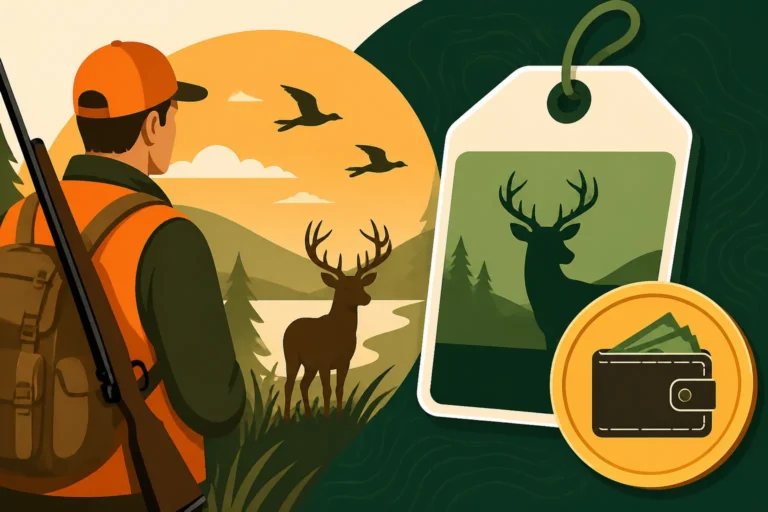
When your cart is ready, proceed to checkout. You'll enter your payment information, typically a credit or debit card. The system is secure, encrypting your financial data. Once the transaction is complete, you'll receive a confirmation page and usually an email receipt. This confirmation is crucial. It serves as temporary proof of your purchase, and you should always save it, either by printing it out or keeping the email accessible on your phone. The Go Outdoors Tennessee system will immediately update your hunter/angler profile with your new licenses. The beauty of this system is that you don't have to wait for anything to be mailed; your license is valid as soon as the purchase is complete.
Managing Your License and Harvest Reports
Your interaction with Go Outdoors Tennessee doesn't end after you click "purchase." The platform is also your central hub for managing your licenses throughout the season and fulfilling your crucial role in wildlife conservation through harvest reporting.
Digital Proof of License and Carrying Requirements
One of the best features of Go Outdoors Tennessee is the immediate digital proof of license. As soon as your purchase is complete, your license information is updated in the TWRA system. While you can print out a physical copy of your license from the website, Tennessee law also allows you to carry proof of license on your smartphone. This is incredibly convenient for those of us who forget paper documents at home. Just make sure your phone is charged and the license is easily accessible, either via the Go Outdoors Tennessee app or a saved screenshot/PDF. While a digital copy is legal, many still prefer a printed version, laminated and kept in their wallet or hunting bag, just in case their phone battery dies or they lose signal deep in the Cherokee National Forest Hunting grounds. Either way, having proof with you at all times while hunting or fishing is a legal requirement.
Reporting Your Harvests
For certain species, particularly deer, turkey, bear, and elk, harvest reporting is mandatory in Tennessee. This isn't just a formality; it's a critical component of sound wildlife management. The data collected from harvest reports helps the TWRA track population trends, monitor herd health, and make decisions about future season structures and bag limits. Failing to report a harvest within the specified timeframe (usually by midnight on the day of harvest) can result in fines and penalties.
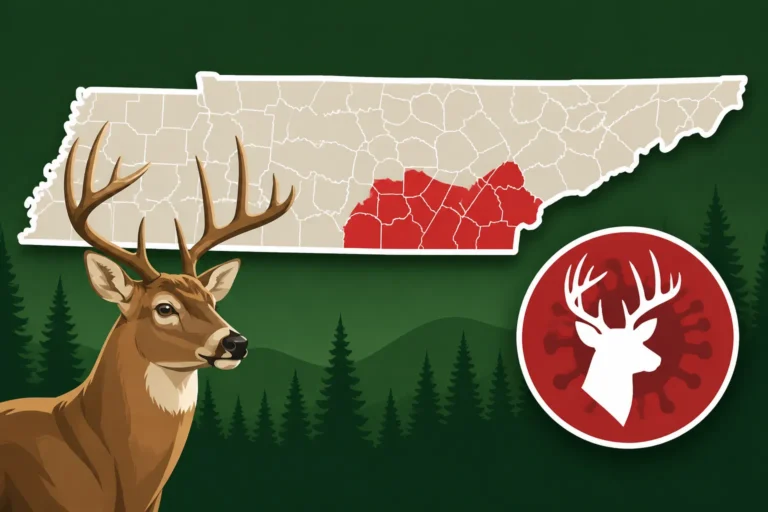
The Go Outdoors Tennessee platform makes reporting straightforward. You'll log into your account, select the "Report Harvest" option, and follow the prompts. You'll need to provide details such as the species harvested, the county, the date, and whether it was antlered or antlerless (for deer). If you harvested in a Chronic Wasting Disease (CWD) zone, there might be additional steps or information required. For instance, the Tennessee's Chronic Wasting Disease Management Zone has specific rules regarding carcass transport and testing. Some hunters even find that using the Go Outdoors Tennessee app while in the field makes reporting seamless, as they can do it right after the recovery. It's a simple act that has a massive impact on the future of Tennessee's game populations.
Troubleshooting Common Go Outdoors Tennessee Issues
Even with the best intentions, technology can sometimes throw a curveball. It's normal to run into a hiccup or two, whether it's a login issue or confusion about license types. Don't worry, most common problems have simple solutions.
Login Difficulties and Password Resets
One of the most frequent frustrations is forgetting your username or password. The Go Outdoors Tennessee system has standard "Forgot Username" and "Forgot Password" links. You'll typically be asked to provide your email address or some identifying information to recover your account or reset your password. Make sure to check your spam folder if the reset email doesn't arrive immediately.
Another common issue is having multiple accounts. Sometimes, if you've purchased licenses under different email addresses or slightly different personal details over the years, the system might have created duplicate profiles. If you suspect this is the case, it's best to contact TWRA customer service directly. They can help merge accounts and consolidate your history, ensuring all your licenses and reports are linked to a single profile. This is also important if you're trying to view your full history of Tennessee Deer Harvest Records.
Understanding Error Messages
Occasionally, you might encounter an error message during the purchase or reporting process. These messages can sometimes be vague, but they usually indicate a specific problem. For example, if you're trying to buy a permit that requires a prerequisite license you haven't yet purchased, you'll get an error. Or, if your payment information is incorrect, the system will flag it.
If you receive an error:
- Read it carefully: Sometimes the message directly tells you what's wrong (e.g., "Missing required permit").
- Check your inputs: Ensure all fields are filled correctly and consistently.
- Review your cart: Make sure you have all necessary base licenses and permits before trying to add specific add-ons.
- Clear browser cache/cookies: Sometimes old data in your browser can interfere with website functionality.
- Try a different browser or device: A temporary glitch in your current setup might be the cause.
If an error persists and you can't figure it out, take a screenshot of the error message and contact TWRA customer service. They are equipped to diagnose system-specific issues and guide you to a solution.
Contacting TWRA Customer Service
When all else fails, the TWRA customer service team is your best resource. They are familiar with the Go Outdoors Tennessee platform and can assist with everything from account retrieval to clarifying complex licensing questions. You can typically find their contact information (phone numbers and sometimes email addresses) on the main TWRA website.
It's a good idea to have as much information as possible ready when you call: your full name, date of birth, any TWRA ID numbers you have, and a clear description of the problem you're experiencing. While it might take a moment to get through during peak seasons, their assistance can save you a lot of frustration and ensure you're compliant with all Tennessee hunting and fishing regulations. Don't hesitate to reach out if you're stuck, whether it's about buying a specific permit or understanding Tennessee Deer Season Structure Explained.
Disclaimer
Please remember that hunting and fishing regulations can change. While this guide aims to provide accurate and up-to-date information regarding Go Outdoors Tennessee and license purchasing, it is your responsibility to verify all current rules and regulations with the Tennessee Wildlife Resources Agency (TWRA) before engaging in any hunting or fishing activity. Always consult the official TWRA website or printed guides for the most current and authoritative information.